How to add Polygon Test Network to MetaMask

Connecting Mumbai Testnet to your Metamask
Mumbai is not enabled by default on Metamask. We have to add it as one of the connected networks manually.
To use the Mumbai testnet with superfluid, you'll need a RPC URL to connect your metamask or application to a Mumbai node.
- Go to MetaMask Chrome extention
- Connect your wallet and click on the dropdown of networks
- Click on “Add Network”
- Add the following information in the parameters in blank:
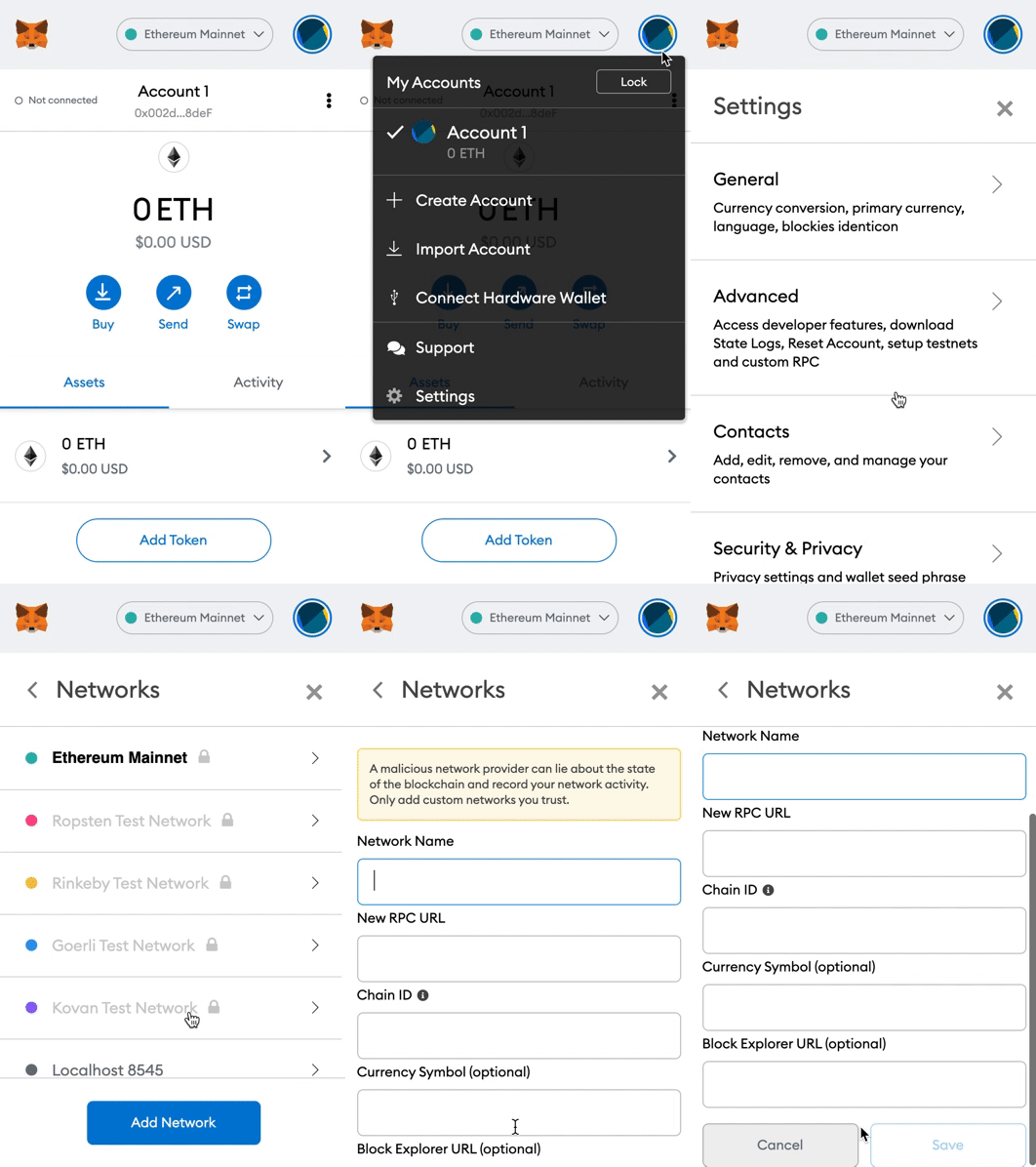
Metamask Network Parameters
Network Name: Mumbai Testnet
New RPC URL: https://rpc-mumbai.maticvigil.com
Chain ID: 80001
Currency Symbol: MATIC
Block Explorer URL: https://polygonscan.com/
- Click on “Save” and you’re good to go
After completing these steps you can find the custom network in the dropdown list.
Getting Mumbai Matic tokens
Once you’ve already integrated Mumbai Testnet in your Metamask, let’s get a faucet so you can explore our beta testing on Polygon Testnet. The faucet you are looking for at this point is Mumbai Matic.
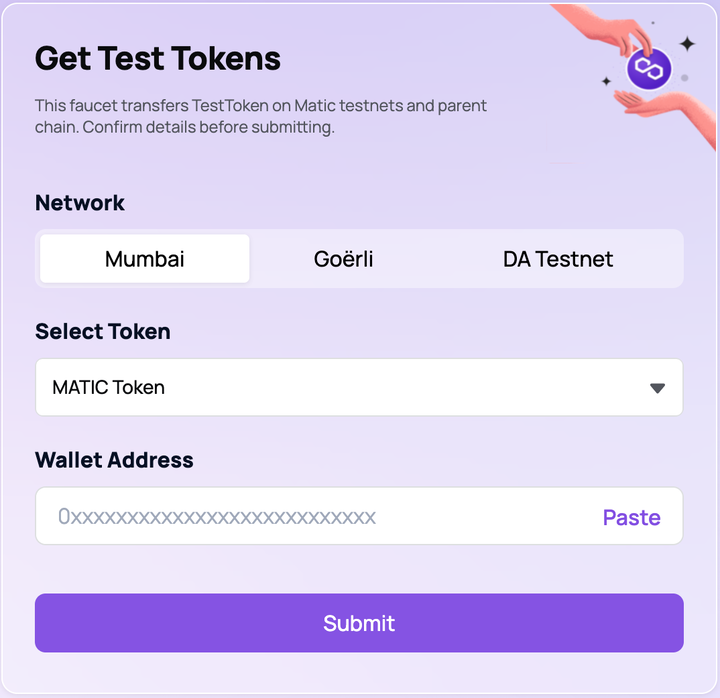
Access the following website: https://faucet.polygon.technology/ and make sure the following parameter are set:
- Select Token: Matic
- Network: Mumbai
- Paste your wallet address
- Click submit
Thanks
Popular Topics

NFTs
16 PostsNFTs allow you to buy and sell ownership of unique digital items and keep track of who owns them using the blockchain

Cryptocurrency
2 PostsA cryptocurrency is a digital or virtual currency that is secured by cryptography, which makes it nearly impossible to counterfeit or double-spend. Many cryptocurrencies are decentralized networks based on blockchain technology

Metaverse
2 PostsA metaverse is a network of 3D virtual worlds focused on social connection. In futurism and science fiction, the term is often described as a hypothetical iteration of the Internet as a single, universal virtual world that is facilitated by the use of virtual and augmented reality headsets.

Web 3.0
2 PostsAlso known as the decentralized web, Web 3.0 is the third version of the Internet, which is an improvement over the current Web 2.0 Internet. Additionally, Web 3.0 is believed to be more user-specific, which will ensure data security and privacy while avoiding the risk of Internet hacking.

Decentralized Finance
1 PostsDecentralized finance (commonly referred to as DeFi) is a blockchain-based form of finance that does not rely on central financial intermediaries such as brokerages, exchanges, or banks to offer traditional financial instruments